Table of Contents >> Show >> Hide
- Quick Navigation
- What “Messaging” Means on Reddit Now
- How to Send Messages on Reddit Desktop (Chat)
- How to Send Messages on Reddit Mobile (iOS & Android)
- Chat Requests, Additional Requests, and Not Getting Ghosted
- Private Messages (PMs): Where They Went and How to Find Them
- How to Message Moderators on Reddit (Modmail)
- Reddit Messaging Etiquette That Actually Works
- Troubleshooting: Why You Can’t Send Messages on Reddit
- Privacy & Safety: Message Smarter, Not Braver
- Conclusion
- Real-World Experiences & Pro Tips for Reddit Messaging (Extra)
- Experience #1: The “Thanks for the Help” DM That Actually Gets Read
- Experience #2: “Why Didn’t They Reply?” (Because They Never Saw It)
- Experience #3: New Account Messaging Restrictions (a.k.a. The Reddit Trust Test)
- Experience #4: Messaging for Buying/Selling or Local Meetups
- Experience #5: Modmail Saves You From Accidental Chaos
- Experience #6: The “One Weird Trick” for Not Sounding Like Spam
Reddit is the internet’s living room: half useful advice, half unhinged memes, and one guy confidently wrong in every thread. Sometimes, you want to take a conversation privateask a follow-up, thank someone for a detailed answer, or quietly tell a stranger their spreadsheet changed your life.
The only problem? “Messaging on Reddit” is no longer one thing. Reddit now leans heavily on Chat (real-time-ish DMs), while the old-school Private Messages (PMs) have largely been retired and live on as an archive. Translation: if you’re trying to send a message and you feel like you’re hunting for a hidden door in a video game, you’re not alone.
What “Messaging” Means on Reddit Now
On Reddit, “send a message” can mean three different things. Knowing which one you need will save you from yelling at your screen like it owes you money.
1) Reddit Chat (the main way to DM)
Chat is Reddit’s primary direct messaging system. It’s where you start one-on-one conversations, accept message requests, and create group chats. Most of the time, when someone says “DM me on Reddit,” they mean Chat.
2) Inbox Notifications (and the old PM archive)
Your notifications inbox (the bell icon) is where Reddit sends replies, mentions, system notifications, anddepending on your account historyan archive of older private messages. Those older PMs are typically read-only now.
3) Modmail (messaging moderators)
If you’re contacting a subreddit’s moderatorsappealing a removal, asking about rules, reporting an issueyou should use modmail. It’s separate from Chat and is designed for community support and moderation conversations.
Bottom line: if you want to message a person, you’re usually starting a Reddit Chat. If you want to message a moderation team, you’re using modmail. And if you’re looking for your ancient PMs from 2017… welcome to the archive.
How to Send Messages on Reddit Desktop (Chat)
On desktop, Reddit chat is typically accessed from the chat bubble icon near the top-right of the page. From there, you can start new chats, respond to requests, and manage ongoing conversations.
Method A: Start a Chat From Someone’s Profile
- Find the user you want to message (from a post, comment, or search).
- Click their username to open their profile.
- Look for a Chat or Start Chat option (sometimes behind a menu like More Options or three dots).
- Type your message and hit Send.
Pro tip: Your first message is basically your handshake. Make it specific so you don’t look like spam (more on that in etiquette).
Method B: Start a Chat From the Chat Inbox
- Click the chat bubble icon.
- In the chat window, choose New Chat (or a compose/new message button).
- Enter the username (usually formatted like u/username).
- Write your message and send.
Method C: Share a Post or Comment Into a Chat
If your goal is “Look at this chaos,” sharing is your best friend:
- Open the post or comment.
- Click Share.
- Select the option that lets you send it via Reddit (often “Share to Chat” or similar).
- Pick an existing conversation or start a new one.
Group Chats and Community Chats
Reddit supports group chats, and some communities have chat-like spaces. If you’re messaging multiple people, make sure everyone actually wants to be there. Group chats are like group projects: one person always carries, one person disappears, and one person posts a meme instead of doing the assignment.
How to Send Messages on Reddit Mobile (iOS & Android)
The Reddit app is usually the easiest place to message, because the chat entry points are more obviousplus fewer “Where did they hide that button this time?” moments.
Method A: Start a Chat From a User Profile (Most Common)
- Tap a username from a post or comment.
- Open their profile.
- Tap Start Chat (or the chat icon). If you don’t see it, tap the three dots menu and look for messaging options.
- Type your message and hit Send.
Method B: Use the Chat Tab/Inbox
- Tap the Chat icon (often on the bottom navigation bar or top area, depending on your app version).
- Tap the compose/new chat button.
- Search for the user and start the conversation.
Method C: Share a Reddit Post Into Chat
- Tap Share on a post.
- Choose the option to share via Reddit chat (or copy the link and paste it into chat).
- Add a line of context (because “????” is not context, it’s a cry for help).
Heads-up: Some accounts can’t send images in the first chat request. Often, images become available after the other person accepts the chat.
Chat Requests, Additional Requests, and Not Getting Ghosted
If you’ve ever messaged someone and heard nothing back, it might not be personal. Your message may be sitting in a request queue like an unopened package on a porch.
Requests vs. Additional Requests
Reddit chat commonly sorts inbound messages into:
- Requests: Messages from people you don’t already have an active chat with.
- Additional Requests: A separate inbox for messages that may be spammy or from unknown senders.
If you want your message to be accepted, make your first line sound like a human, not a suspiciously enthusiastic coupon bot.
Accept, Ignore, Hide, Block
- Accept starts the conversation normally.
- Ignore removes it (and tells Reddit, “No thanks”).
- Hide chat cleans up your inbox without fully blocking.
- Block is the “do not perceive me” button.
Pinning and Filtering Unread Chats
Reddit chat includes organization features like pinned chats and unread filters. If you message a lot (mods, creators, people coordinating meetups, etc.), pin the important threads so they don’t vanish under a pile of “lol same” conversations.
Private Messages (PMs): Where They Went and How to Find Them
If you remember Reddit’s older “private messages” system (subject lines! inbox threads! the vibe of early email!), you’re not imagining it. But today, Reddit largely treats those older PMs as an archivemeaning you can typically view them, but not reply in the old PM format.
How to Access the Private Message Archive on Desktop
- Click the bell icon to open your notifications inbox.
- Look for an archive icon near the top of the inbox.
- Open archived PMs to read older messages.
- Use the menu (often three dots) to copy, report, or delete items from your view.
How to Access the Private Message Archive on Mobile
- Tap the bell icon.
- Tap the archive icon at the top.
- Browse older messages and manage them via the overflow menu.
Important: Deleting archived PMs typically removes them from your view, not necessarily from the other person’s history. Also, archived PMs may be limited to a certain number of recent items.
How to Message Moderators on Reddit (Modmail)
Want to contact the mods of a subreddit? Don’t start a random chat with the first moderator you see. That’s like emailing a company by guessing one employee’s address and hoping for the best.
Where to Find “Message the Mods”
- On a subreddit page, check the About section / sidebar.
- Look for a button like Message the mods or Contact moderators.
What to Include in a Modmail Message
- A clear subject (e.g., “Post removedrequesting clarification”).
- A link to the post/comment (if relevant).
- One short paragraph explaining the issue.
- Polite tone. Mods are humans, not vending machines for approvals.
Modmail is the best route for bans, removals, rule questions, and reporting community-specific issues. It keeps the conversation organized and visible to the mod team.
Reddit Messaging Etiquette That Actually Works
Redditors are friendly… in the way a raccoon is friendly: curious, occasionally adorable, and suspicious of anything that smells like bait. If you want replies, write messages that feel safe and specific.
Do This
- Lead with context: “Heysaw your comment in r/____ about ____.”
- Keep it short: One screen of text is a message. Three screens is a memoir.
- Ask one clear question: You’ll get better answers than a scattershot list of 12 requests.
- Respect boundaries: If someone ignores your request, don’t resend it seven times like a haunted printer.
A Simple Message Template (That Doesn’t Sound Like a Template)
Example:
Hey! I saw your breakdown of beginner espresso machines in r/Coffee. I’m deciding between two modelsmind if I ask which one held up better after a few months?
It’s specific, polite, and doesn’t scream “HELLO FELLOW HUMAN, PLEASE ENGAGE WITH MY CONTENT.”
Try Not to Do This
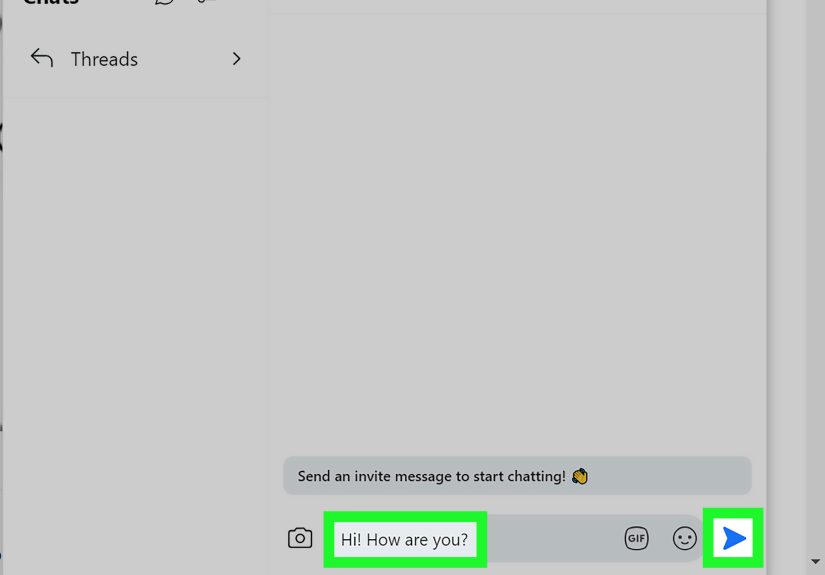
- “Hi.” (Not illegal, just aggressively unhelpful.)
- Unsolicited links with zero explanation.
- Copy-paste sales pitches.
- Asking for personal info right away.
Troubleshooting: Why You Can’t Send Messages on Reddit
If Reddit won’t let you send a message, it’s usually one of a few reasons. Here’s the greatest hits album of “Why won’t this button work?” frustrations.
You’ve Hit Chat Limits
Reddit limits chat invites to reduce spamespecially for newer accounts. If you’re sending multiple new chat requests in a short time, you may get blocked temporarily from starting new ones. Wait it out and try again later.
Your Account Isn’t “Established” (or Not in Good Standing)
Even if your account isn’t brand new, Reddit may restrict chat if it thinks your account needs to build trust. Common ways to improve this:
- Verify your email.
- Participate normally (posts/comments that aren’t spammy).
- Avoid actions that trigger enforcement (rule-breaking, mass messaging, repeated removals).
The Other Person Has Chat Disabled
Some users disable chat requests for privacy. In that case, you can’t force it. Respect the boundary and move onlike an adult, not like a telemarketer.
You Can’t Send Images in the First Message
For safety reasons, Reddit may block image sending in a chat invite. Once the recipient accepts, image sharing often becomes available in the conversation.
The App Is Glitching
- Update the Reddit app.
- Log out and log back in.
- Restart your phone.
- Check your internet connection.
If it’s a widespread issue, it may be on Reddit’s side. (Yes, sometimes it’s not you. Sometimes it’s… the internet.)
Privacy & Safety: Message Smarter, Not Braver
Private messaging on Reddit is useful, but it’s still the internet. A few guardrails keep your inbox from turning into a haunted house of scams and bad vibes.
Lock Down Who Can Contact You
- Review your privacy and safety settings.
- Adjust who can send you chat requests.
- If you’re getting harassed, use block and report.
Watch for Classic DM Scams
- “I can get you a deal” + sketchy link
- “Send me your email/phone” immediately
- Pressure tactics (“Do this now or else”)
When in doubt, keep the conversation publicor don’t have the conversation at all.
Conclusion
To send messages on Reddit today, think Chat first. On desktop, head to the chat bubble or a user’s profile to start a conversation. On mobile, the profile and chat tab make it even quicker. If you’re digging up old private messages, use the notifications inbox and archive. And if you’re talking to moderators, modmail is the correct doorwayno matter how tempting it is to knock on random mod profiles like you’re selling cookies.
Message with context, keep it respectful, and remember: the fastest way to get ignored is to sound like you’re about to ask someone to “kindly do the needful.”
SEO Tags (JSON)
Real-World Experiences & Pro Tips for Reddit Messaging (Extra)
Reddit messaging looks simple until you actually try to use it in the wildwhere half your “messages” are requests, the other half are misunderstandings, and at least one person is convinced your polite question is a pyramid scheme. Here are some common real-world messaging scenarios Redditors run into, plus the lessons that keep your inbox functional and your dignity intact.
Experience #1: The “Thanks for the Help” DM That Actually Gets Read
A lot of people want to message someone to say thanks after a detailed commentespecially in communities like personal finance, fitness, tech support, or niche hobby subreddits. The mistake is sending something like “thx” (which feels low-effort) or a huge paragraph (which feels like homework). The sweet spot is short and specific:
Heyyour checklist for negotiating rent increases was super helpful. I used the “comparables” tip and it worked. Thanks!
That kind of message doesn’t trigger suspicion, doesn’t demand a reply, and often results in a friendly back-and-forth. It also builds goodwillsomething Reddit runs on, right next to caffeine and sarcasm.
Experience #2: “Why Didn’t They Reply?” (Because They Never Saw It)
People assume DMs land directly in the other person’s chat feed. In reality, your first message may sit in Requests or Additional Requests. If your opener is vague (“Hi”), link-only, or salesy, it’s more likely to be ignoredor filtered. The fix is one sentence of context and one clear ask. Think “human” not “marketing automation.”
Experience #3: New Account Messaging Restrictions (a.k.a. The Reddit Trust Test)
Newer accounts often discover that messaging is limited right when they need it most. For example, someone joins Reddit to ask a question, gets a helpful reply, tries to message the personand hits an “established account” wall. The fastest path through this isn’t trying to brute-force the system; it’s doing normal Reddit stuff for a bit:
- Verify your email.
- Comment helpfully in low-drama communities.
- Avoid rapid-fire chat requests.
In practice, accounts that behave like real people tend to earn more messaging freedom over time. Accounts that behave like a pop-up ad do not.
Experience #4: Messaging for Buying/Selling or Local Meetups
Some subreddits facilitate local sales, swaps, tickets, or meetups. Messaging can help coordinate detailsbut it’s also where scams love to live. Redditors commonly report better outcomes when they:
- Keep early negotiation in public comments (when allowed by rules).
- Move to chat only for logistics (time/place), not sensitive info.
- Refuse pressure tactics (“Pay now or I’m gone in 5 minutes”).
- Never share personal details you wouldn’t write on a postcard.
Experience #5: Modmail Saves You From Accidental Chaos
People often try to DM a mod directly when a post is removed or they’re banned. That usually fails because (1) many mods disable DMs, (2) it’s disorganized, and (3) it’s not how moderation teams track issues. Modmail works better because it reaches the team and keeps context attached. A calm, clear modmail message has a much higher chance of getting a real response than an angry, all-caps chat request.
Experience #6: The “One Weird Trick” for Not Sounding Like Spam
The biggest difference between a message that gets ignored and a message that gets answered is often the first line. Redditors tend to respond when your opener includes:
- Where you found them (“saw your comment in…”)
- What you’re asking (“quick question about…”)
- Why them (“you seemed to know the topic…”)
If you do that, your message reads like a normal interactionnot like the start of a pyramid scheme, a crypto pitch, or a heartfelt request to “kindly revert.”
The overall lesson: Reddit messaging works best when you treat it like a conversation, not a campaign. Use Chat for people, modmail for mods, keep your first message specific, and assume your recipient is busy (or their inbox is a swamp). Do that, and your odds of getting a reply go way upwithout you having to sacrifice your soul to the algorithm gods.