Table of Contents >> Show >> Hide
- What’s Inside
- Quick Take
- Key Specs & Features (What TCL Is Aiming For)
- Design & Setup: Premium Looks Without the Premium Fuss
- Picture Quality: Where the QM8K Earns Its Reputation
- Gaming: A Fast, Responsive TV (With Port Planning Required)
- Smart TV & Format Support: Google TV Done Right
- Sound: Bang & Olufsen Branding, Real-World Expectations
- Competition & Value: Where the QM8K Lands in 2025
- Who Should Buy the TCL QM8K (2025)?
- Practical Settings & Usage Tips (Quick Wins)
- Real-World Experiences: What Living With the QM8K Feels Like
- Conclusion
The 2025 TV world is basically a sunlight competition: “My highlights are brighter than your highlights,” shouted at full volume
while your retinas quietly file a complaint. And in that arena, the TCL QM8K shows up like it brought stadium lights.
It’s TCL’s flagship 4K QD-Mini-LED set for 2025despite the name, it’s not an 8K TVand it’s built to take a swing at premium
OLED and high-end Mini-LED rivals without asking you to refinance your couch.
This review focuses on what you actually feel day-to-day: HDR pop, black-level control, gaming responsiveness, glare handling,
and whether the built-in audio can survive a movie night without you reaching for a soundbar by scene three.
We’ll also talk valuebecause the QM8K has the performance to flex, but it still has to earn its place on your wall.
Quick Take
The TCL QM8K (2025) is a seriously bright, high-contrast Mini-LED TV with refined local dimming, wide HDR format support,
and legit gaming features144Hz native and up to 288Hz VRR in lower resolutions, depending on your setup.
Independent reviews consistently praise its HDR punch, contrast, and improved control of blooming/haloing compared with older TCL models.
The trade-offs are the “grown-up TV stuff” you only notice after living with it:
only two HDMI 2.1 ports (so you may play port-Tetris if you’ve got multiple consoles and a gaming PC),
audio that ranges from “fine” to “please add bass,” and out-of-the-box accuracy that can benefit from calibration if you’re picky about
creator intent.
Key Specs & Features (What TCL Is Aiming For)
TCL positions the QM8K as its premium “Precise Dimming” flagship for 2025. The highlight reel includes:
QD-Mini LED backlighting, a “Halo Control” lighting system, a CrystGlow WHVA panel for wider viewing angles,
a 144Hz native refresh rate, and broad HDR support (Dolby Vision IQ, HDR10+, HDR10, HLG).
At-a-glance spec snapshot
| Panel / Backlight | QD-Mini LED with advanced local dimming (“Halo Control” / “Precise Dimming” branding) |
|---|---|
| Refresh Rate | 144Hz native; gaming modes can reach higher VRR rates at lower resolutions (up to 288Hz marketing) |
| HDR Formats | Dolby Vision IQ, HDR10+, HDR10, HLG |
| Audio | Bang & Olufsen-tuned system with Dolby Atmos support |
| Smart TV | Google TV; Chromecast built-in; Apple AirPlay 2; voice control |
| Broadcast | ATSC 3.0 (NextGen TV) tuner |
| Ports (headline) | 4 HDMI inputs total; only 2 are HDMI 2.1 (common complaint), with eARC on one of the HDMI ports |
One important note: TCL’s brightness marketing (for example “HDR5000”) is a rating. Real-world brightness depends on picture mode,
window size, and how aggressively the TV tone-maps. The good news is that multiple independent reviews still call it
exceptionally bright in practiceso even when reality is a little less than a brochure, it’s still a lot of light.
Design & Setup: Premium Looks Without the Premium Fuss
The QM8K leans hard into the “floating picture” vibe with a near-bezel-less look that makes the screen feel bigger than the inches on the box.
That matters more than you’d thinkespecially in bright rooms where a chunky bezel can reflect light and scream,
“Hello, I’m a rectangle!”
Setup is straightforward: Google TV onboarding, quick pairing, and the usual “agree to twelve things to watch one thing” routine.
The practical win is cable management and easy port accessbecause nothing ruins a new-TV glow faster than crawling behind the stand
like you’re auditioning for a wildlife documentary.
Pro tip
If you plan to wall-mount, measure twice and mount onceMini-LED flagships are not the kind of “oops” you want to correct mid-air.
Also, budget time for firmware updates before you do your “final judgment” viewing.
Picture Quality: Where the QM8K Earns Its Reputation
HDR brightness: the headline feature (and it shows)
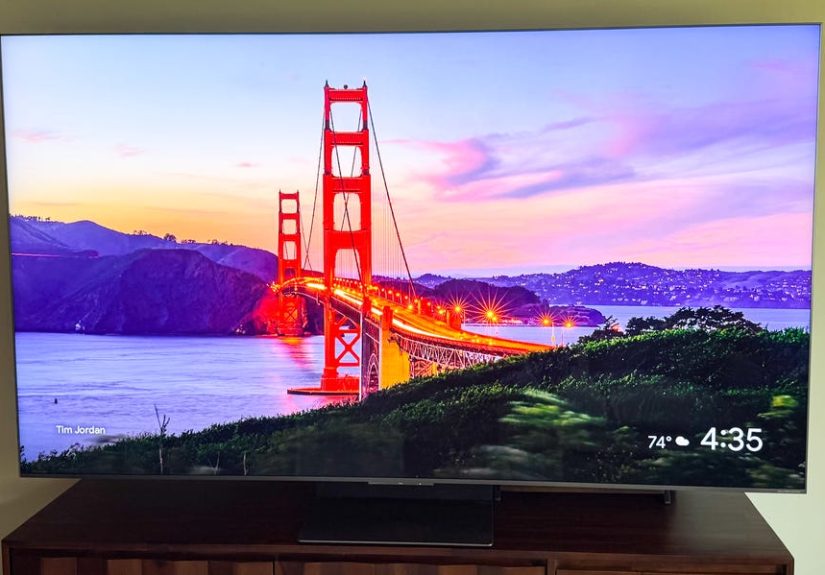
This is the QM8K’s signature move: brilliant HDR highlights that can hold their own in sunlit living rooms.
Reviewers consistently describe it as one of the brightest TVs in its class, and measured results vary by mode:
Filmmaker tends to be more restrained (for accuracy), while Standard/Movie can push much higher for impact.
Translation: you can choose “faithful” or “fireworks” depending on what you’re watching.
Contrast and local dimming: Mini-LED doing Mini-LED things (the good kind)
Great Mini-LED TVs live or die by local dimming control. The QM8K’s improved backlight management is a real upgrade:
it’s designed to reduce halos/blooming around bright objects (think subtitles over dark scenes, or starfields).
Multiple reviews call out how clean the separation is between bright and dark areasstill not absolute OLED perfection,
but impressively close for LCD technology when tuned well.
Color: vibrant, wide, and better with a little TLC (pun absolutely intended)
The QM8K delivers rich color volumeespecially in HDRthanks to its quantum dot layer and high brightness.
Out of the box, though, some testing notes that accuracy can be “just okay,” and the set can benefit from calibration
(or at least switching to warmer color temperatures and avoiding ultra-vivid presets).
If you want the most “director-approved” look, start with Filmmaker Mode and adjust from there.
Motion and sports
For sports and fast action, the QM8K’s high refresh rate helps keep motion crisp, and the panel can deliver a smooth presentation
with the right settings. The key is avoiding over-processing: too much motion smoothing turns film into soap opera,
and too much sharpness turns faces into crispy memes. Use a gentle motion setting for sports, and disable heavy smoothing for movies.
Viewing angles and reflections: improved, not magical
TCL’s WHVA approach is meant to improve off-axis viewing compared to older VA-based sets, and several reviewers do report
better angle performance. Still, no LCD completely escapes physics: brightness can drop as you move off-center,
and reflection handling depends on your lighting. If you have bright lamps facing the screen, consider repositioning them;
even a great TV can’t outsmart a spotlight aimed directly at it.
Gaming: A Fast, Responsive TV (With Port Planning Required)
144Hz native + VRR: the QM8K is gaming-ready
If you game on a current-gen console or a PC, the QM8K brings the features that matter:
low input lag, VRR, and high refresh-rate support.
Depending on resolution, it can run very high refresh rates (marketed up to 288Hz at lower resolutions) and 144Hz at 4K for compatible sources.
In real terms, that means responsive controls, less tearing, and smoother camera pans in shooters, racers, and sports games.
The “two HDMI 2.1 ports” reality check
Here’s the one you should decide on before you buy: the QM8K typically offers only two HDMI 2.1 ports.
If you own a PS5, an Xbox Series X, and a gaming PC, you’ll either:
(1) swap cables, (2) pick favorites, or (3) add an HDMI 2.1 switch you trust.
Also note that eARC commonly lives on one of the HDMI portsso plan your soundbar/receiver connection accordingly.
Best gaming setup example
- HDMI 2.1 port #1: Your primary console (the one you use most)
- HDMI 2.1 port #2: Gaming PC (or your second console)
- eARC port: Soundbar or AVR (if it shares a 60Hz port, that’s fineaudio doesn’t need 144Hz)
- Remaining HDMI: Streaming box, Blu-ray player, or “guest console”
Smart TV & Format Support: Google TV Done Right
TCL’s choice of Google TV is a practical win: the app ecosystem is deep, navigation is generally fast,
and integration is strong if you already live in Google’s world. You also get modern conveniences like
Chromecast built-in and Apple AirPlay 2so Android and iPhone households can call a truce.
Home theater format checklist
- HDR: Dolby Vision IQ, HDR10+, HDR10, HLG (a rare “everyone’s invited” approach)
- Audio: Dolby Atmos support (and often DTS support depending on source handling)
- Broadcast: ATSC 3.0 tuner for NextGen TV (availability varies by market)
- Picture modes: Filmmaker Mode included for a more accurate baseline
If you hate ads or cluttered home screens, Google TV can still be… Google TV. You can reduce noise by disabling auto-preview,
trimming recommendations, and pinning only your actual apps. Five minutes of cleanup now saves you
from ten months of muttering, “Why is this suggesting I watch that?”
Sound: Bang & Olufsen Branding, Real-World Expectations
TCL’s Bang & Olufsen tuning is a nice step up from “TV speakers that whisper,” and Dolby Atmos support is welcome.
But multiple reviews still land on the same conclusion: it’s good for a TV, not “skip the soundbar forever” good.
The most common complaint is limited bass and a need to crank volume higher than expected for big blockbuster mixes.
FlexConnect: the interesting audio twist
The QM8K also arrives in the era of “wireless Atmos dreams.” Coverage notes TCL’s support for Dolby Atmos FlexConnect
on QM-series TVs, aiming to pair compatible wireless speakers for flexible surround without traditional receiver wiring.
If that ecosystem matures and pricing makes sense, it could be a genuinely cool path for living rooms where speaker wire is
either impossibleor would get you kicked out by whoever controls interior design decisions.
Practical recommendation
If you’re buying a QM8K, consider budgeting for at least a midrange soundbar (with a subwoofer). You bought the bright, cinematic screen;
don’t let the audio be the thing that makes your movie night feel like it’s playing through a polite laptop.
Competition & Value: Where the QM8K Lands in 2025
The QM8K’s value story depends heavily on street price. At launch, it can feel expensive next to aggressive Mini-LED rivals.
When discounts hit, it becomes the kind of “wait… this is how much performance for how much money?” TV that TCL fans love.
QM8K vs. OLED (like LG’s C-series)
OLED still wins on perfect black levels and per-pixel precision. The QM8K counters with brightness that’s often more satisfying
in daytime viewing and high-APL content. If you watch mostly at night in a dark room and you’re sensitive to blooming,
OLED is still the cleanest look. If you watch mixed content in a bright room (sports, streaming, games) and want HDR to punch through daylight,
the QM8K makes a strong case.
QM8K vs. Mini-LED rivals (Hisense, Samsung, Sony)
Expect the usual trade matrix:
Hisense often undercuts on price with strong brightness;
Samsung’s premium Mini-LED sets can bring polish and processing;
Sony can deliver elite tone mapping and motionoften at a premium.
The QM8K’s niche is “flagship-level brightness and contrast control with a feature set that feels complete,”
as long as you’re okay living with two HDMI 2.1 ports.
Bottom line on value
Buy it on sale. If you catch the QM8K near the price of upper-midrange sets, it’s a terrific performance-per-dollar play.
If it’s priced like the most expensive TVs in the aisle, you should compare carefullyespecially if you’re considering OLED.
Who Should Buy the TCL QM8K (2025)?
You should seriously consider it if…
- You watch TV in a bright room and want HDR that doesn’t look “washed out by noon.”
- You want strong contrast and refined local dimming without paying top-tier OLED prices.
- You game and care about high refresh rates, VRR, and snappy response.
- You want broad HDR format support (Dolby Vision and HDR10+).
You may want to look elsewhere if…
- You need more than two HDMI 2.1 ports for multiple high-bandwidth devices.
- You’re extremely sensitive to any blooming or uniformity quirks (OLED is still the cleanest).
- You want “great sound without extra gear” (a soundbar still makes sense here).
Practical Settings & Usage Tips (Quick Wins)
For movies and prestige TV
- Start with Filmmaker Mode (or the most accurate cinema mode) for better tone mapping and color balance.
- Turn off heavy motion smoothing; keep it low or off to avoid the soap-opera effect.
- Reduce sharpness; let 4K detail look natural instead of “outlined.”
For sports
- Use a moderate motion setting if you like smoother movement.
- Increase brightness to match your room lightingbut avoid “Vivid” unless you enjoy neon grass and regrets.
For gaming
- Enable Game Mode/ALLM and VRR.
- Confirm which HDMI ports are 2.1 and reserve them for your highest-bandwidth devices.
- If you use a PC, set refresh rate and chroma settings carefully for your GPU/TV handshake.
Real-World Experiences: What Living With the QM8K Feels Like
Let’s talk about the stuff that doesn’t show up in spec sheets: the little “oh wow” momentsand the occasional “oh, right” moments.
The QM8K is the kind of TV that can make your first HDR demo feel like you accidentally switched from sunglasses to laser goggles.
You queue up a bright, high-contrast scenecity lights at night, fireworks, a sci-fi cockpit full of blinking panelsand it doesn’t just look
bright. It looks confident. Highlights have that punch that makes people stop scrolling on their phones and ask,
“Wait, what are we watching?” That’s the Mini-LED magic working the way it’s supposed to.
In a sunny living room, the QM8K’s personality really comes out. This is where a lot of TVs quietly surrender:
the picture dims, blacks lift, and the image starts to look like it’s apologizing for existing. The QM8K doesn’t apologize.
Daytime sports become a legit flexstadium shots stay vibrant, and you don’t have to close every curtain like you’re preparing a vampire’s nap.
That “bright-room confidence” is one of the biggest reasons owners gush about it after the honeymoon phase.
Movie night, though, is where people get pickyand for good reason. Dark scenes are the blooming stress test:
subtitles hovering over shadowy backgrounds, a candle in a dim room, a spaceship against deep space. In the right picture mode,
the QM8K is impressively controlled for an LCD, often keeping halos subtle. But it’s also a reminder that Mini-LED is a balancing act:
the TV has to decide how aggressive to be with local dimming, and you may prefer to tweak settings depending on whether you want
maximum “inky black” or maximum “shadow detail.” If you’ve ever paused a scene just to ask, “Wait, was that jacket navy or black?”
you’re exactly the person who will enjoy a few minutes of tuning.
Gaming on the QM8K feels modern in the best way. Fast response and high refresh support help games feel snappy,
and once you get VRR set up, motion looks smoother in the moments that matterquick pans, racing lines, chaotic multiplayer fights.
The only “real-life” wrinkle is the port situation. If you’re a multi-device householdtwo consoles, a PC, and a soundbar
you’ll want to plan the HDMI layout like you’re organizing a tiny home. It’s not a deal-breaker, but it’s the kind of thing that becomes
annoying only after you’ve stood up for the third time to swap cables and realized your fitness tracker just gave you credit for a workout.
Then there’s the sound. Built-in speakers are better than the “thin and timid” stereotype, but big cinematic mixes can still feel restrained.
Dialogue is usually clear enough, but when a soundtrack drops into deep bass territory, the TV politely bows out.
If you add even a midrange soundbar with a subwoofer, it feels like the QM8K finally has the audio “lungs” to match its visual swagger.
And if TCL’s FlexConnect ecosystem becomes a practical option for wireless surrounds, it could be a fun upgrade path for people who want
wider sound without turning the living room into a cable management support group.
The day-to-day experience of owning the QM8K is basically this: it makes “regular” content look clean and vivid,
makes HDR look genuinely special, and makes you care enough to dial in settings oncebecause when a TV performs at this level,
it’s worth letting it show off properly. If you buy it at the right price, it’s the kind of set that doesn’t just look great on paper;
it makes your room feel like the best seat in the house.