Table of Contents >> Show >> Hide
- Why Website Citations Confuse So Many People
- Way 1: Add a Website to a Bibliography in MLA Style
- Way 2: Add a Website to a Bibliography in APA Style
- Way 3: Add a Website to a Bibliography in Chicago Style
- How to Choose the Right Citation Style Fast
- What to Do If a Website Has No Author, No Date, or Weird Information
- Best Practices for Adding a Website to a Bibliography
- Conclusion
- Experience: Real-World Lessons From Citing Websites
- SEO Tags
Adding a website to a bibliography sounds simple until you sit down, stare at a blinking cursor, and realize the page you want to cite has no author, no obvious date, and a title that looks like it was written by a caffeinated robot. Welcome to the club. The good news is that citing a website is not magic, and it is definitely not a punishment invented by English teachers to ruin weekends.
The trick is knowing which citation style you are supposed to use. In most cases, the three big players are MLA, APA, and Chicago. Each one has its own personality. MLA is organized but flexible, APA loves dates, and Chicago is the elegant one wearing a blazer and carrying footnotes. Once you know the style, adding a website to a bibliography becomes much more manageable.
In this guide, you will learn three practical ways to add a website to a bibliography, based on the citation style you need. You will also see examples, common mistakes to avoid, and real-world lessons that make website citations feel a lot less intimidating. Whether you are writing a school paper, a blog post, a research project, or a piece of content for publication, this article will help you cite online sources clearly and correctly.
Why Website Citations Confuse So Many People
Books usually behave themselves. They have a title page, an author, a publisher, and a publication date. Websites, on the other hand, can be a little chaotic. Some pages list a writer. Some list an organization. Some have a publication date, some have an updated date, and some act like time is a social construct. That is why students and writers often get stuck when trying to add a website to a bibliography.
Another issue is vocabulary. Depending on the style guide, the list at the end of your paper might be called a Works Cited page, a References page, or a Bibliography. People often use “bibliography” as a general term, but the formatting rules still depend on the style your teacher, editor, or organization requires.
So let’s make this easy. Here are the three main ways to cite a website, based on the style system you are using.
Way 1: Add a Website to a Bibliography in MLA Style
When MLA Is the Right Choice
MLA style is commonly used in the humanities, especially English, literature, writing, cultural studies, and some history courses. If your instructor says you need a Works Cited page, that is usually your clue that MLA is the format you want.
The Basic MLA Website Citation Format
A standard MLA citation for a webpage usually includes the following pieces:
Author Last Name, First Name. “Title of Webpage.” Website Name, Publisher, Publication Date, URL.
If there is no author, you can begin with the title of the page. If there is no publication date, MLA can still work with what you have. An access date is often helpful for pages that change over time or do not list a clear publication date.
MLA Example
Here is a simple example of what an MLA website citation might look like:
Ramirez, Elena. “How to Build Better Study Habits.” Student Success Hub, 12 Sept. 2025, www.example.com/study-habits.
If the author is missing, it could look like this:
“How to Build Better Study Habits.” Student Success Hub, 12 Sept. 2025, www.example.com/study-habits.
What Makes MLA Useful
MLA is great when you are working with articles, essays, and general web content because it focuses on the most visible parts of the source: who wrote it, what it is called, where it lives online, and how a reader can find it. It is less obsessed with the date than APA, which is honestly refreshing when you are dealing with websites that hide their timestamps like state secrets.
Common MLA Mistakes to Avoid
- Do not cite the entire website homepage if you actually used one specific article or page.
- Do not forget quotation marks around the title of the webpage.
- Do not italicize the article title; italicize the website name instead.
- Do not make up missing information. If a page has no named author, do not invent one.
Way 2: Add a Website to a Bibliography in APA Style
When APA Is the Right Choice
APA style is common in psychology, education, business, nursing, and the social sciences. If your paper emphasizes recent research or formal source tracking, APA is often the preferred format. In APA, the list at the end of your paper is called References, not Works Cited.
The Basic APA Website Citation Format
A typical APA citation for a webpage looks like this:
Author, A. A. (Year, Month Day). Title of webpage. Site Name. URL
If the author and the site name are the same, you usually leave out the site name to avoid repetition. If there is no date, APA uses (n.d.), which means “no date.”
APA Example
Ramirez, E. (2025, September 12). How to build better study habits. Student Success Hub. www.example.com/study-habits
If the page was published by an organization rather than an individual, the organization can be the author:
National Learning Center. (2025, August 8). Time management for online students. www.example.com/time-management
Why APA Feels Different
APA gives a lot of importance to the date because it is often used in fields where the timeliness of information matters. That is why the publication date appears near the beginning of the citation. In plain English, APA wants readers to know not only who said it, but also how old the information is. It is basically the citation style equivalent of asking, “Cool, but when was this posted?”
Common APA Mistakes to Avoid
- Do not put the title of the webpage in quotation marks. APA usually italicizes the webpage title instead.
- Do not forget to use sentence case for the title, meaning you capitalize only the first word and proper nouns.
- Do not repeat the website name if it is already the same as the author.
- Do not panic if the page has no date; use n.d. instead.
Way 3: Add a Website to a Bibliography in Chicago Style
When Chicago Is the Right Choice
Chicago style is often used in history, publishing, and some humanities fields. It comes in two systems, but for many student papers and bookish projects, the most common one is Notes and Bibliography. That means you may have both footnotes in the text and a bibliography at the end.
The Basic Chicago Website Citation Format
A Chicago bibliography entry for a webpage commonly looks like this:
Author Last Name, First Name. “Title of Webpage.” Website Name. Publication date or access date. URL.
Chicago is especially helpful when you need a more traditional bibliography format. It is also practical when webpages have unusual structures, because Chicago gives writers some flexibility while still expecting clear, traceable information.
Chicago Example
Ramirez, Elena. “How to Build Better Study Habits.” Student Success Hub. September 12, 2025. www.example.com/study-habits.
If a publication date is unavailable, an access date may be used instead:
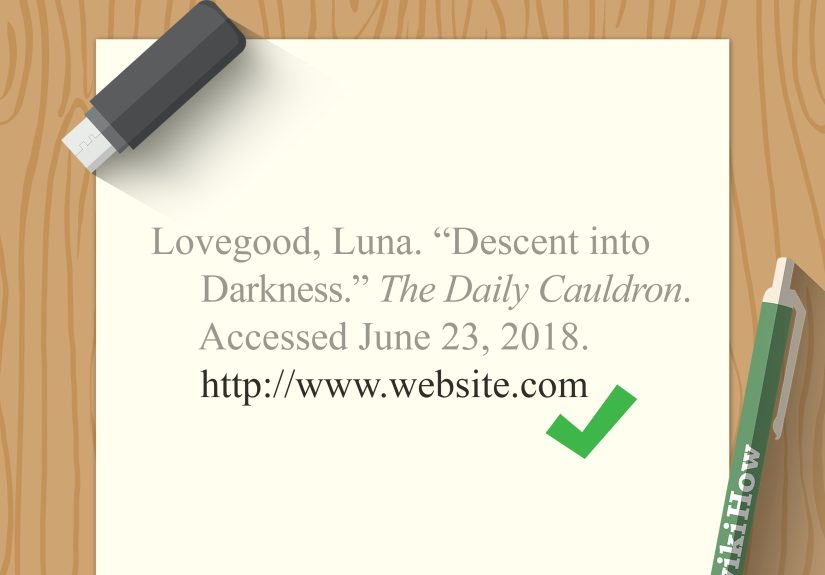
Ramirez, Elena. “How to Build Better Study Habits.” Student Success Hub. Accessed March 24, 2026. www.example.com/study-habits.
Why Chicago Helps Serious Research Projects
Chicago style works well for long-form writing because it handles complex sources gracefully. If MLA is the practical backpack and APA is the lab coat, Chicago is the leather satchel full of note cards. It is especially useful when your paper includes archival materials, historical content, or online sources that need extra explanation.
Common Chicago Mistakes to Avoid
- Do not confuse the footnote format with the bibliography format. They are similar, but not identical.
- Do not skip the page title if you used a specific webpage.
- Do not use an access date unless your style instructions or source situation calls for it.
- Do not mix Chicago punctuation with MLA or APA formatting.
How to Choose the Right Citation Style Fast
If you are still wondering which of the three ways to use, here is the quick version:
- Use MLA if you are writing for literature, composition, or many humanities classes.
- Use APA if you are writing for psychology, education, business, or social sciences.
- Use Chicago if you are writing for history, publishing, or an instructor who wants footnotes and a bibliography.
If your teacher, editor, or client already gave you a style guide, follow that instead of guessing. Citation style is not a personality quiz. You do not pick the one that “feels right.” You pick the one the assignment requires.
What to Do If a Website Has No Author, No Date, or Weird Information
This is the part that causes the most stress, but it is manageable if you stay calm and look carefully. First, check the page itself. Then check the site’s About page, footer, article byline, or organization name. A lot of “missing” information is not actually missing; it is just hiding.
If There Is No Author
Use the organization as the author if one is clearly responsible for the content. If there is no identifiable author or organization, start with the title of the webpage.
If There Is No Date
In APA, use n.d. In MLA and Chicago, you may simply leave the date out if your style guide allows it, and include an access date when appropriate for unstable or undated content.
If the Page Keeps Changing
For pages that are regularly updated, such as statistics pages, policy pages, or organization resources, keeping track of when you accessed the page can be smart. It gives readers context and protects you from the classic problem of citing a page that looks totally different a week later.
Best Practices for Adding a Website to a Bibliography
- Always cite the specific page you used, not just the homepage.
- Copy the title exactly, but format it according to the style guide.
- Keep capitalization and punctuation consistent.
- Save the URL when you first research the page.
- Double-check whether your list is called Works Cited, References, or Bibliography.
- Use one citation style throughout the whole document. Mixing styles in one paper is the citation equivalent of wearing one rain boot and one flip-flop.
Conclusion
If you want to know the easiest way to add a website to a bibliography, the answer is simple: first identify the citation style, then plug the webpage details into the correct format. The three main ways are to use MLA for humanities writing, APA for social science and research-based work, and Chicago for history and footnote-heavy projects. Once you understand the pattern each style uses, website citations become a process rather than a mystery.
The key is accuracy, consistency, and a little patience. Do not let a missing date or anonymous webpage send you into a spiral. With the right structure, even messy online sources can be cited clearly and professionally. And once you get used to it, adding a website to a bibliography becomes one of those skills that feels annoying at first but surprisingly satisfying later. A little like folding fitted sheets, except more realistic.
Experience: Real-World Lessons From Citing Websites
One of the most common problems I have seen with website citations comes from students who are doing everything else right but cite the wrong page. They find a useful article on a university website, read the entire piece, and then paste the homepage URL into the bibliography because it is shorter or easier to copy. It seems harmless until a teacher tries to check the source and lands on a giant homepage with menus, banners, and enough navigation links to qualify as a maze. That experience teaches an important lesson: always cite the exact page you used, even if the full URL looks long and dramatic.
Another frequent issue happens with blog posts and organization websites that get updated over time. A writer may quote a page in October, revisit it in November, and suddenly the date has changed, the title has been edited, or the information has shifted slightly. That is where careful note-taking becomes incredibly useful. Saving the title, author, date, and URL at the time you read the source can save you from a lot of confusion later. In practical terms, this means citation is not just about formatting. It is also about documenting your research trail while the information is still fresh.
I have also noticed that many people assume a citation generator will solve everything automatically. Citation tools can be helpful, but they are not mind readers. If a webpage is missing a date, mislabeled, or structured strangely, the generator may produce something awkward or incomplete. People often copy the result without checking it, which leads to little formatting disasters like duplicated website names, missing italics, random capitalization, or an author field that says “admin.” The real-world lesson here is simple: use tools as assistants, not bosses. Human review still matters.
Group projects create their own weird citation problems. One person uses MLA, another uses APA, and a third invents what can only be described as freestyle bibliography jazz. Everything may look fine until the final draft comes together and the source list reads like it was assembled during a power outage. In collaborative writing, it helps to agree on one citation style at the beginning and keep a shared document of sources. That small step can prevent a lot of last-minute cleanup and avoid the kind of formatting panic that usually appears ten minutes before submission.
There is also a practical side to citing websites for content creators, bloggers, and editors. Even outside school, accurate citation habits make research cleaner and more trustworthy. When you are drafting articles, fact sheets, or educational pages, being able to trace where a claim came from is incredibly valuable. It helps with revisions, editing, and credibility. In that sense, learning how to add a website to a bibliography is not just an academic skill. It is a professional writing skill. It trains you to organize information, verify sources, and respect the work of other writers, which never goes out of style.